What Are Deep Agents? The Architecture That Changes Everything
Deep agents are not just smarter chatbots — they plan, delegate, persist state to files, and resume work across sessions. Learn the architectural principles that make them viable in production and build the foundations of DevPulse, a real AI-powered code review system.
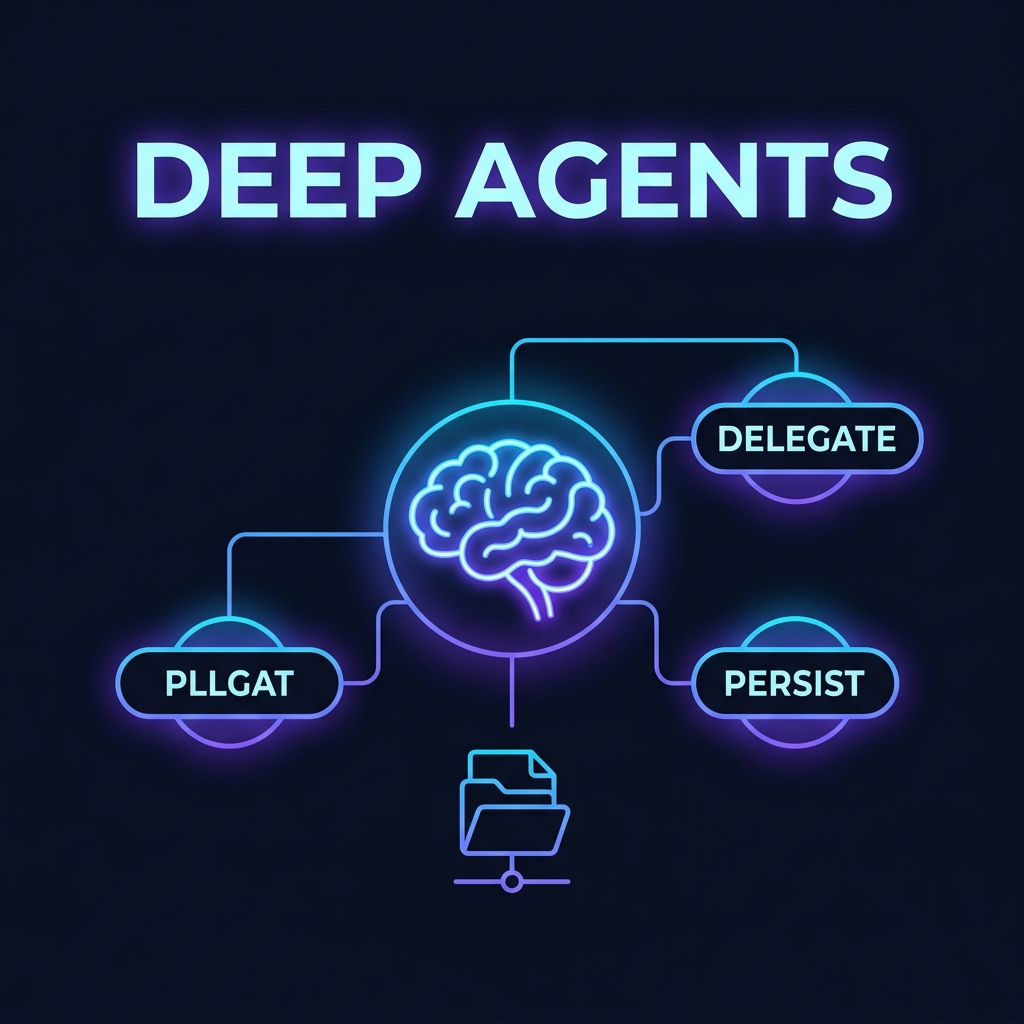
TL;DR: A deep agent is an agent that can plan a multi-step task, delegate sub-tasks to specialised child agents, and persist its work to files so it can resume across sessions. This post explains exactly what that means architecturally, why it matters in production, and builds the foundation of DevPulse — an AI-powered code review system that we will scale through every part of this series.
Why "Agents" Aren't Enough Anymore
If you have worked through LangChain's basic agent patterns, you have probably built something like this:
from langchain_google_genai import ChatGoogleGenerativeAI
from langchain.agents import create_react_agent, AgentExecutor
from langchain_core.prompts import PromptTemplate
from langchain_core.tools import tool

llm = ChatGoogleGenerativeAI(model="gemini-3.5-flash", temperature=0)

@tool
def search_web(query: str) -> str:
    """Search the web for current information."""
    return f"Search results for: {query}"

tools = [search_web]
prompt = PromptTemplate.from_template(
    "Answer the following: {input}\n{agent_scratchpad}"
)

agent = create_react_agent(llm, tools, prompt)
executor = AgentExecutor(agent=agent, tools=tools, verbose=True)

result = executor.invoke({"input": "Analyse this bug report"})
print(result["output"])
This works. For simple tasks. The agent reasons through a few tool calls, assembles an answer, and returns it as a string. Done.
But what happens when the task is not simple? What happens when a developer opens a ticket and asks:
"Review our entire PR #847 — all 23 files — check for SQL injection vulnerabilities, identify performance anti-patterns, verify the test coverage meets our 80% threshold, and post a structured review comment on GitHub. Oh, and if you find anything critical, file a Jira ticket automatically."
This is not a hypothetical. This is the kind of work that occupies entire afternoons for senior engineers. And a basic React agent fails here in three very specific and predictable ways.
The Three Failure Modes of Basic Agents
Failure 1: Context Window Overflow
A 23-file PR could easily be 40,000 tokens of raw diff. Most model context windows, even the large ones, will degrade significantly before an agent has even begun reasoning about the problem.
More critically, even if you fit everything into the context window, transformer attention mechanisms exhibit a well-documented phenomenon called "lost in the middle" — where information buried deep in a long context window is systematically under-attended to. A critical SQL injection in file 11 of 23 might simply be missed.
Failure 2: No Parallelism
A basic React agent processes tool calls sequentially. Reviewing 23 files one at a time, with each review taking 10–15 seconds of LLM processing, means your pipeline takes 4–6 minutes. Your CI/CD integration times out. Your developer goes to get coffee. The feedback loop is broken.
Slow feedback loops in code review are not a minor inconvenience — they actively cause developers to work around the review system, batch up large PRs to minimize interruptions, or simply merge before the review is complete.
Failure 3: No Resumability
If the review process is interrupted halfway — an API rate limit, a server restart, a network timeout on the GitHub API call — the entire run is lost. The agent starts over. This is catastrophic for long-running tasks. An agent doing a 20-minute, 50-file audit with 200 LLM calls should not have to restart from scratch because of a transient failure.
These are not edge cases. They are the exact failure modes that stop agentic AI systems from being deployed in real engineering workflows.
Deep agents solve all three.
What Makes an Agent "Deep"?
The word "deep" refers to the depth of task horizon — how far into the future the agent can plan autonomously and how much independent action it can take without needing human guidance.
Three capabilities define a deep agent:
1. Planning
A deep agent does not start executing immediately. It first produces a structured task plan — a decomposition of the goal into ordered sub-tasks with defined dependencies and expected outputs.
Goal: "Review PR #847"

Plan:
├── Step 1: Fetch list of modified files from GitHub API [status: pending]
├── Step 2: Classify files by domain (auth, data layer, UI) [status: pending]
├── Step 3: Spawn security review for auth files [status: pending]
│   ├── Sub-step 3a: Review src/auth/login.py [status: pending]
│   └── Sub-step 3b: Review src/auth/tokens.py [status: pending]
├── Step 4: Spawn performance review for data layer [status: pending]
└── Step 5: Aggregate findings and post GitHub review comment [status: pending]
This plan is not just a mental model — it is written to a file. The agent reads and updates it throughout execution. If interrupted, it can pick up exactly where it left off.
2. Delegation to Subagents
Rather than reviewing all 23 files itself, the parent agent acts as a coordinator. It reads the plan, identifies which files need what type of review, and spawns isolated child agents to handle each one.
Each child agent receives only what it needs:
- Its specific instructions (e.g., "Check this file for OWASP Top 10 vulnerabilities")
- The specific file content it is responsible for
- A minimal, focused tool set
The parent does not flood child agents with the full PR context. Context isolation is the mechanism that makes both accuracy and parallelism possible.
3. File Persistence
This is the architectural difference most developers underestimate. Deep agents treat the filesystem as an extension of their memory.
Instead of keeping all intermediate state in the LLM's context window (which is expensive and ephemeral), a deep agent:
- Writes its task plan to
./workspace/plan.json - Writes findings from each subagent to
./workspace/findings/<file>.json - Writes the aggregated review draft to
./workspace/final_review.md
This means the agent's work is durable. If the process crashes at Step 4, it restarts, reads its plan file, sees Steps 1-3 are marked complete, and resumes from Step 4. No work is lost.
Introducing DevPulse: Our Running Example
Throughout this series, we will build DevPulse — a production-grade AI-powered code review system.
Here is what DevPulse will eventually be capable of:
| Capability | Series Part |
|---|---|
| Planning PR reviews and persisting to workspace | Part 1 (this post) |
| Structured tool harness with Pydantic validation and middleware | Part 2 |
| Parallel subagent spawning with graceful error handling | Part 3 |
| Context engineering: budget, compress, select, isolate | Part 4 |
| Production reliability: checkpointing, LangSmith, HITL gates | Part 5 |
| Domain-specific harnesses and model routing by task complexity | Part 6 |
We start today by building the planning layer — the brain of DevPulse.
Building the DevPulse Planner
Setting Up Your Environment
Before any code, create your project and install dependencies:
mkdir devpulse && cd devpulse
python -m venv venv && source venv/bin/activate
pip install langchain langchain-google-genai python-dotenv pydantic
Create a .env file:
GOOGLE_API_KEY=your_google_api_key_here
GITHUB_TOKEN=your_github_token_here  # Optional for now, we'll mock it
The File Workspace
The first thing DevPulse needs is a workspace — a structured directory where it writes all its intermediate state:
# 01_workspace.py
import os
import json
from pathlib import Path
from datetime import datetime
from typing import Optional

WORKSPACE_DIR = Path("./devpulse_workspace")

def init_workspace(pr_number: int) -> Path:
    """
    Create a fresh workspace directory for a PR review run.
    Returns the path to the workspace.
    """
    workspace = WORKSPACE_DIR / f"pr_{pr_number}"
    workspace.mkdir(parents=True, exist_ok=True)
    (workspace / "findings").mkdir(exist_ok=True)

    print(f"✅ Workspace initialized at: {workspace}")
    return workspace

def write_plan(workspace: Path, plan: dict) -> None:
    """
    Write the agent's task plan to the workspace.
    This is what allows the agent to resume if interrupted.
    """
    plan_path = workspace / "plan.json"
    plan["last_updated"] = datetime.utcnow().isoformat()

    with open(plan_path, "w") as f:
        json.dump(plan, f, indent=2)

    print(f"📝 Plan written to {plan_path}")

def read_plan(workspace: Path) -> Optional[dict]:
    """
    Read an existing plan from the workspace.
    Returns None if no plan exists (first run).
    """
    plan_path = workspace / "plan.json"
    if not plan_path.exists():
        return None

    with open(plan_path) as f:
        return json.load(f)

def update_task_status(workspace: Path, task_id: str, status: str, result: Optional[str] = None) -> None:
    """
    Update the status of a single task in the plan file.
    Statuses: 'pending' | 'in_progress' | 'completed' | 'failed'
    """
    plan = read_plan(workspace)
    if not plan:
        raise ValueError("No plan found. Cannot update task status.")

    for task in plan["tasks"]:
        if task["id"] == task_id:
            task["status"] = status
            if result:
                task["result_summary"] = result
            break

    write_plan(workspace, plan)
    print(f"🔄 Task '{task_id}' updated to status: {status}")

def write_finding(workspace: Path, file_path: str, findings: dict) -> None:
    """
    Write a subagent's review findings to its own file.
    Prevents different files' reviews from mixing in memory.
    """
    # Sanitize file path to create a valid filename
    safe_name = file_path.replace("/", "_").replace(".", "_") + ".json"
    finding_path = workspace / "findings" / safe_name

    findings["reviewed_at"] = datetime.utcnow().isoformat()
    findings["source_file"] = file_path

    with open(finding_path, "w") as f:
        json.dump(findings, f, indent=2)

    print(f"💾 Findings for '{file_path}' saved to workspace")

def read_all_findings(workspace: Path) -> list:
    """
    Read all subagent findings from the workspace findings directory.
    Used by the parent agent to aggregate results.
    """
    findings_dir = workspace / "findings"
    all_findings = []

    for finding_file in findings_dir.glob("*.json"):
        with open(finding_file) as f:
            all_findings.append(json.load(f))

    return all_findings
Why Write to Files Instead of Keeping State in Memory?
This is the question most developers ask first. Here is the honest answer:
In-memory state:
- Lost on any process crash, restart, or timeout
- Grows the LLM's context window with every turn (expensive)
- Cannot be inspected by humans during execution
- Cannot be resumed
File workspace state:
- Survives process crashes, container restarts, and timeouts
- Does not consume LLM context window tokens at all
- Can be read and understood by a human monitoring the run
- Perfectly resumable — the agent just reads the plan file
The tradeoff is that file I/O is slower than in-memory operations. For tasks that run for seconds, this doesn't matter. For tasks that run for minutes or hours (which is exactly what deep agents are designed for), durability is non-negotiable.
The Planner: Generating Structured Task Plans
Now let's build the planning agent itself. This is the first LLM call that DevPulse makes — and arguably the most important one. A poor plan cascades into poor execution.
# 01_planner.py
import os
import json
from dotenv import load_dotenv
from langchain_google_genai import ChatGoogleGenerativeAI
from langchain_core.messages import SystemMessage, HumanMessage
from pydantic import BaseModel, Field
from typing import List, Literal
from pathlib import Path
from 01_workspace import init_workspace, write_plan

load_dotenv()

# ---- Data Models ----

class ReviewTask(BaseModel):
    """A single task in the PR review plan."""
    id: str = Field(description="Unique identifier, e.g. 'review_auth_py'")
    description: str = Field(description="Clear description of what this task does")
    file_path: str = Field(description="The file path this task relates to")
    review_type: Literal["security", "performance", "style", "test_coverage"] = Field(
        description="The type of review to perform"
    )
    priority: Literal["critical", "high", "medium", "low"] = Field(
        description="Priority of this task"
    )
    status: Literal["pending", "in_progress", "completed", "failed"] = Field(
        default="pending"
    )
    depends_on: List[str] = Field(
        default_factory=list,
        description="IDs of tasks that must complete before this one"
    )

class PRReviewPlan(BaseModel):
    """Complete plan for reviewing a pull request."""
    pr_number: int
    pr_title: str
    total_files: int
    tasks: List[ReviewTask]
    estimated_duration_minutes: int = Field(
        description="Rough estimate of total runtime in minutes"
    )

# ---- LLM Setup ----

llm = ChatGoogleGenerativeAI(
    model="gemini-3.5-flash",
    temperature=0,  # Deterministic output for planning — no creativity needed here
    max_retries=3
)

# ---- Planner ----

PLANNER_SYSTEM_PROMPT = """You are the DevPulse Planning Agent.

Your ONLY job is to produce a structured review plan for a given GitHub Pull Request.

Rules:
- Break the PR into individual file review tasks
- Assign the correct review_type based on file purpose:
  * src/auth/* → security (authentication logic, token handling)
  * src/db/* or *models* → security AND performance
  * tests/* → test_coverage
  * All others → style review by default
- Mark files containing authentication, payment, or database operations as CRITICAL or HIGH priority
- Identify task dependencies (e.g., you cannot aggregate results before all reviews are complete)
- Be conservative with estimates: 2 minutes per file on average

Output ONLY valid JSON matching the PRReviewPlan schema. No explanation."""

def generate_review_plan(pr_number: int, pr_title: str, modified_files: List[str]) -> PRReviewPlan:
    """
    Call the LLM to generate a structured review plan for the given PR.
    The plan is deterministic (temperature=0) and schema-validated.
    """

    file_list = "\n".join(f"- {f}" for f in modified_files)

    messages = [
        SystemMessage(content=PLANNER_SYSTEM_PROMPT),
        HumanMessage(content=f"""
Plan a code review for this Pull Request:

PR Number: #{pr_number}
Title: {pr_title}
Modified Files ({len(modified_files)} total):
{file_list}

Generate a complete PRReviewPlan JSON object.
""")
    ]

    # Use structured output to get a type-safe Pydantic object back
    # This eliminates any chance of JSON parsing errors
    structured_llm = llm.with_structured_output(PRReviewPlan)
    plan = structured_llm.invoke(messages)

    print(f"\n✅ Planning complete. Generated {len(plan.tasks)} review tasks")
    print(f"⏱️  Estimated duration: {plan.estimated_duration_minutes} minutes")

    return plan

def run_planning_phase(pr_number: int, pr_title: str, modified_files: List[str]) -> dict:
    """
    Full planning phase: generates the plan and persists it to the workspace.
    Returns the workspace path for use by subsequent execution phases.
    """
    workspace = init_workspace(pr_number)

    print(f"\n🧠 Starting DevPulse planning phase for PR #{pr_number}...")
    print(f"   Files to review: {len(modified_files)}")

    # Generate the structured plan
    plan = generate_review_plan(pr_number, pr_title, modified_files)

    # Convert to dict and add workspace metadata before saving
    plan_dict = plan.model_dump()
    plan_dict["workspace_path"] = str(workspace)
    plan_dict["status"] = "planned"

    # Write to workspace — this is what enables resumability
    write_plan(workspace, plan_dict)

    # Print human-readable summary
    print("\n📋 Review Plan Summary:")
    for task in plan.tasks:
        priority_emoji = {"critical": "🔴", "high": "🟠", "medium": "🟡", "low": "🟢"}.get(task.priority, "⚪")
        print(f"  {priority_emoji} [{task.review_type.upper()}] {task.file_path}")

    return plan_dict

if __name__ == "__main__":
    # Simulate a realistic PR with mixed file types
    sample_pr_files = [
        "src/auth/login.py",
        "src/auth/tokens.py",
        "src/db/user_repository.py",
        "src/api/endpoints.py",
        "src/models/user.py",
        "tests/test_auth.py",
        "tests/test_api.py",
        "README.md"
    ]

    plan = run_planning_phase(
        pr_number=847,
        pr_title="Refactor authentication system with JWT token rotation",
        modified_files=sample_pr_files
    )

    print(f"\n🎯 Plan ready. Tasks: {len(plan['tasks'])}")
    print(f"📂 Workspace: {plan['workspace_path']}")
    print("\nNext step: Execute the review plan using the DevPulse Harness (Part 2)")
Understanding the Output
When you run python 01_planner.py, here is what happens:
✅ Workspace initialized at: devpulse_workspace/pr_847

🧠 Starting DevPulse planning phase for PR #847...
   Files to review: 8

✅ Planning complete. Generated 9 review tasks
⏱️  Estimated duration: 16 minutes

📋 Review Plan Summary:
  🔴 [SECURITY] src/auth/login.py
  🔴 [SECURITY] src/auth/tokens.py
  🔴 [SECURITY] src/db/user_repository.py
  🟠 [PERFORMANCE] src/db/user_repository.py
  🟠 [SECURITY] src/api/endpoints.py
  🟡 [STYLE] src/models/user.py
  🟢 [TEST_COVERAGE] tests/test_auth.py
  🟢 [TEST_COVERAGE] tests/test_api.py
  🟢 [STYLE] README.md

🎯 Plan ready. Tasks: 9
📂 Workspace: devpulse_workspace/pr_847
The plan.json in the workspace looks like this:
{
  "pr_number": 847,
  "pr_title": "Refactor authentication system with JWT token rotation",
  "total_files": 8,
  "tasks": [
    {
      "id": "review_auth_login_py_security",
      "description": "Check src/auth/login.py for OWASP Top 10 vulnerabilities",
      "file_path": "src/auth/login.py",
      "review_type": "security",
      "priority": "critical",
      "status": "pending",
      "depends_on": []
    },
    ...
  ],
  "estimated_duration_minutes": 16,
  "workspace_path": "devpulse_workspace/pr_847",
  "status": "planned",
  "last_updated": "2026-06-17T09:31:02.441Z"
}
Why Not Just Pass All Files to a Single LLM Call?
This is the most common objection. "Gemini has a 2-million token context window. Can't I just dump everything in?"
Technically, yes. In practice, this approach has several serious problems:
1. Attention dilution at scale. Even with large context windows, transformers perform worse on retrieval tasks as context grows. A 2023 study ("Lost in the Middle", Liu et al.) showed that retrieval accuracy drops by up to 20% when relevant information is positioned in the middle of a long context. Your most important security vulnerability might be in file 12 of 23.
2. No task isolation. When a single model instance reviews 23 files simultaneously, findings from one file can "bleed" into analysis of another. The model might flag a pattern in auth.py that is actually fine because it saw a compensating control in middleware.py — but report it incorrectly because it confused the two.
3. No parallelism. A single LLM call is inherently sequential. A distributed subagent architecture can review all 23 files simultaneously in parallel.
4. No partial failure recovery. If a single massive call fails (rate limit, context overflow, network timeout), you lose everything and restart. With a planned, task-by-task approach, you can retry only the failed tasks.
The planning-first approach we built today is the foundation that makes all of these solvable. And in Part 2, we will build the execution layer — the harness that takes this plan and actually runs it.
Common Anti-Patterns to Avoid
❌ Anti-pattern: The God Prompt
# Don't do this
result = llm.invoke([HumanMessage(content=f"""
Review this entire codebase for security issues, performance problems,
style violations, missing tests, outdated dependencies, documentation gaps,
architectural concerns, and anything else you think is important.

Here is all the code:
{entire_codebase}

Return a complete review.
""")])
Why it fails: The model has no structure to organize its findings. Output will be unpredictable in length, format, and coverage. There is no way to retry partial failures or run tasks in parallel.
❌ Anti-pattern: Keeping State Only in Messages
# Don't do this either
messages = []
for file in pr_files:
    messages.append(HumanMessage(content=f"Now review {file}: {content}"))
    response = llm.invoke(messages)
    messages.append(response)  # Growing unboundedly
Why it fails: The messages list grows with every file. By file 10, your context window is polluted with the analysis of files 1-9. The model starts confusing findings across files and loses precision.
✅ The Deep Agent Pattern
# Do this instead
plan = generate_review_plan(pr_number, pr_title, modified_files)
write_plan(workspace, plan)  # Durable state

for task in plan.tasks:
    # Each review gets a clean, isolated context
    findings = review_single_file(task)  # Part 2-3
    write_finding(workspace, task.file_path, findings)  # Durable output
    update_task_status(workspace, task.id, "completed")  # Resumability

aggregate_and_post(workspace)  # Combine only at the end
Each subagent gets a clean context. State is durable. Any failure can be retried from the last checkpoint.
FAQs
Q: Does every agent need to be a "deep agent"? Isn't this overkill for simple tasks?
A: Absolutely — deep agent architecture is overkill for simple question-answering or single-tool tasks. The overhead of planning, workspace management, and subagent coordination is only worth it when tasks have three properties: (1) they are long-horizon (multi-step), (2) they require working with large amounts of context (more than fits cleanly in one prompt), and (3) they need to be resilient to failures. Code review of large PRs, autonomous research, multi-step data pipelines — these are all good fits. Answering "What's the capital of France?" is not.
Q: Why use with_structured_output() for the planner instead of parsing JSON manually?
A: Parsing LLM-generated JSON manually is brittle. Models occasionally produce invalid JSON, omit required fields, or add extra commentary outside the JSON block. with_structured_output() uses the model's native function-calling capabilities to guarantee schema compliance. If the output doesn't match your Pydantic schema, LangChain raises a typed exception — which you can catch, log, and retry — rather than a cryptic json.JSONDecodeError at 2am.
Q: What if the LLM generates a bad plan — wrong priorities or incorrect task decomposition?
A: This is the single most important thing to validate in production. In DevPulse, the plan is written to a file before any execution starts. A human reviewer (or an automated validation step) can inspect plan.json, flag issues, and either edit the plan manually or trigger a re-planning call. This "plan review" step is itself a human-in-the-loop gate that we will wire up formally in Part 5.
Q: Can I run this without a Google API key?
A: You can swap ChatGoogleGenerativeAI for any LangChain-compatible model. Locally, you can use ChatOllama with Mistral or LLaMA 3 running via Ollama. The with_structured_output() method works with any model that supports tool/function calling.
Continue to Part 2: The Deep Agent Harness — Models, Tools & Middleware →