Short-Term Memory, Message Trimming & Context Engineering — Part 8
Master LangChain's context engineering toolkit: use trim_messages() to enforce token budgets, implement conversation summarization to fight context rot, and allocate context window space across system prompts, history, and content.
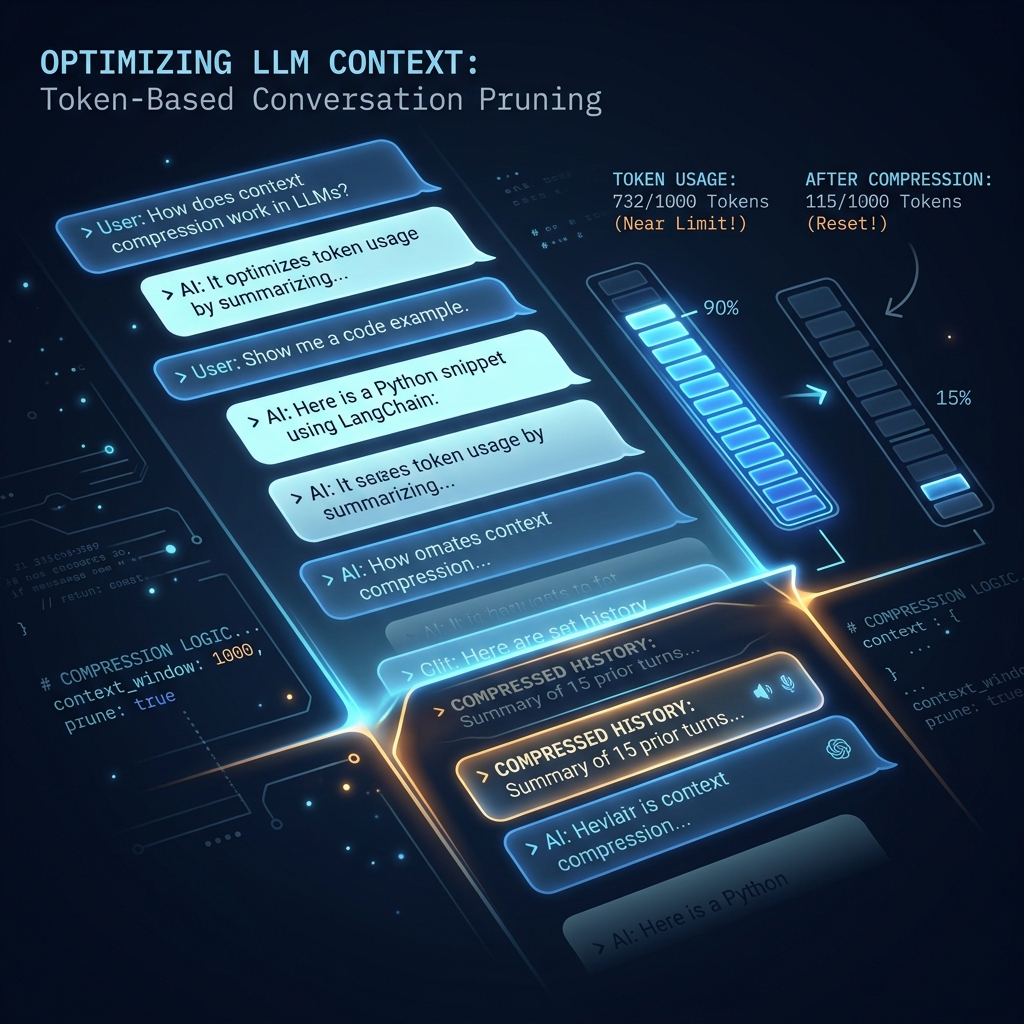
TL;DR: Large context windows degrade agent focus and increase costs. This post covers context engineering strategies: message trimming with trim_messages(), dynamic summarization fallbacks, and structured 5-layer context window budgeting.
The Invisible Ceiling
In Parts 1–7, every example runs a handful of turns and exits. In production, the Tech News Daily newsroom processes hundreds of articles in a single editorial session. The editor asks follow-up questions. The researcher refines findings. The writer revises drafts.
By message 50, you hit a wall — not an error, something worse: context rot.
Context rot is the gradual degradation of model performance as the context window fills up. The model starts ignoring early messages. It contradicts itself. It hallucinates details from early in the conversation that it can no longer "see" clearly. Gemini 3.5 Flash has a 1 million token context window — but packing it with redundant conversation history does not make it smarter. It makes it slower, more expensive, and less reliable.
This post gives you three concrete tools to fight it:
trim_messages()— drop old messages when you approach the token limit- Summarisation fallback — compress instead of drop when history is valuable
- Context layering — architect what goes in the window deliberately from the start
Why didn't we cover this in Part 2? In Part 2 we used
MemorySaverto persist messages. That solves storing history — it does not solve managing it. Storing everything is easy. Knowing what to keep, what to compress, and what to discard is the hard part. That becomes urgent only once you have a multi-agent pipeline processing real workloads, which is where you are after Part 6.
Setup
source langchain-env/bin/activate
pip install langchain-google-genai langchain-core tiktoken python-dotenv
tiktoken is OpenAI's tokeniser. LangChain uses it as a universal token counter for all models, including Gemini — it gives approximate counts, accurate enough for trimming decisions.
Part 1: Message Trimming with trim_messages()
# create a file: 23_message_trimming.py
from dotenv import load_dotenv
from langchain_core.messages import (
    HumanMessage, AIMessage, SystemMessage, trim_messages
)
from langchain_google_genai import ChatGoogleGenerativeAI

load_dotenv()
llm = ChatGoogleGenerativeAI(model="gemini-3.5-flash", temperature=0)

# -------------------------------------------------------
# Simulate a long editorial session at Tech News Daily
# This is what accumulates after 30+ minutes of work
# -------------------------------------------------------
editorial_session = [
    SystemMessage(content="You are the senior editor at Tech News Daily. Help the team triage today's news queue."),
    HumanMessage(content="We have 47 articles in the queue. Where should we start?"),
    AIMessage(content="Start with the zero-day CVE story — it's time-sensitive. After that, triage by category: security first, then AI/cloud, then hardware."),
    HumanMessage(content="The CVE story is published. What's next?"),
    AIMessage(content="Move to the AWS GPU pricing story. It's been sitting for 2 hours and relates to the NVIDIA Blackwell story from yesterday."),
    HumanMessage(content="Should the AWS and NVIDIA stories run together as a package?"),
    AIMessage(content="Good idea. Commission a 200-word editor's note connecting the pricing pressure to the Blackwell announcement. Run the package at 11 AM."),
    HumanMessage(content="The NVIDIA story needs a quote from their PR team. We're waiting on approval."),
    AIMessage(content="Hold the NVIDIA piece. Run the AWS story standalone. When the quote comes in, publish NVIDIA separately with a cross-link."),
    HumanMessage(content="Quote approved. Can we still make the 11 AM window?"),
    AIMessage(content="Yes — add the quote to the final two paragraphs, update the metadata, and publish. The AWS story is already live so the cross-link will work immediately."),
    # ... dozens more turns in a real session
    HumanMessage(content="End of morning queue. What's the afternoon priority?"),
]

print(f"Full history: {len(editorial_session)} messages")

# -------------------------------------------------------
# Strategy 1: Trim to last N tokens
# Keeps the most recent messages that fit within the budget.
# The system message is always preserved (include_system=True).
# -------------------------------------------------------
trimmed_by_tokens = trim_messages(
    editorial_session,
    max_tokens=500,           # keep last ~500 tokens
    strategy="last",          # keep the most recent messages
    token_counter=llm,        # LangChain uses the model's tokeniser
    include_system=True,      # always keep the system prompt
    allow_partial=False,      # never cut a message in half
)
print(f"\nAfter token trim (max 500 tokens): {len(trimmed_by_tokens)} messages")
for m in trimmed_by_tokens:
    role = m.__class__.__name__.replace("Message", "")
    print(f"  {role}: {m.content[:60]}...")

# -------------------------------------------------------
# Strategy 2: Trim to last N messages
# Simpler but less precise — use when token counting is unavailable
# -------------------------------------------------------
trimmed_by_count = trim_messages(
    editorial_session,
    max_tokens=6,             # keep last 6 messages (used as count here)
    strategy="last",
    token_counter=len,        # count messages, not tokens
    include_system=True,
    allow_partial=False,
)
print(f"\nAfter message count trim (last 6): {len(trimmed_by_count)} messages")

# -------------------------------------------------------
# Integrate trimming directly into the chain
# -------------------------------------------------------
from langchain_core.prompts import ChatPromptTemplate, MessagesPlaceholder
from functools import partial

def trim_for_model(messages, max_tokens=800):
    """Trim messages before they enter the model."""
    return trim_messages(
        messages,
        max_tokens=max_tokens,
        strategy="last",
        token_counter=llm,
        include_system=True,
        allow_partial=False,
    )

editorial_template = ChatPromptTemplate.from_messages([
    MessagesPlaceholder(variable_name="messages")
])

# The chain trims before the prompt is formatted
trimming_chain = trim_for_model | editorial_template | llm

response = trimming_chain.invoke({"messages": editorial_session})
print(f"\nResponse with trimming chain:")
print(response.content[:200])
Run it:
python 23_message_trimming.pyWhy
strategy="last"and not"first"?"last"keeps the most recent messages — the ones closest to the current question."first"would keep the oldest messages, which in a conversation means the earliest context. For Q&A and editorial sessions, the most recent exchanges are almost always more relevant. Use"first"only for tasks where the initial briefing (e.g., a long document) must be preserved.
Tip — set
max_tokensto 70–80% of your model's context window: Leave headroom for the model's response. If you fill 100% of the context window with input, the model has no room to output a meaningful response and will truncate. A safe rule:max_input_tokens = context_window * 0.75. For Gemini 3.5 Flash's 1M token window, that is 750K tokens — far more than any conversation will need, but the principle applies to smaller windows.
Part 2: Summarisation Fallback — When You Can't Afford to Drop
Trimming by token count drops the old messages entirely. For editorial sessions this is acceptable — the editor remembers context implicitly. But for a research pipeline where the researcher gathered specific facts in turn 3 that are needed in turn 30, dropping is lossy.
The solution: summarise the old messages into a single compressed message before trimming.
# create a file: 24_summarisation_fallback.py
from dotenv import load_dotenv
from langchain_core.messages import HumanMessage, AIMessage, SystemMessage
from langchain_google_genai import ChatGoogleGenerativeAI

load_dotenv()
llm = ChatGoogleGenerativeAI(model="gemini-3.5-flash", temperature=0)

# -------------------------------------------------------
# Build a summariser that compresses old conversation turns
# into a single context-preserving message
# -------------------------------------------------------
def summarise_history(messages: list, keep_last_n: int = 4) -> list:
    """
    Splits messages into 'old' and 'recent'.
    Summarises the old part and prepends the summary to the recent part.

    Why not summarise everything?
    The most recent N messages are the ones directly relevant to the
    current task. Summarising them loses the precision you need right now.
    Keep them verbatim and only compress the older context.
    """
    system_messages = [m for m in messages if isinstance(m, SystemMessage)]
    non_system = [m for m in messages if not isinstance(m, SystemMessage)]

    if len(non_system) <= keep_last_n:
        return messages  # nothing old enough to compress

    old_messages = non_system[:-keep_last_n]
    recent_messages = non_system[-keep_last_n:]

    # Build a summary request for the old messages
    old_text = "\n".join([
        f"{m.__class__.__name__.replace('Message', '')}: {m.content}"
        for m in old_messages
    ])

    summary_prompt = f"""Summarise the following conversation history in 3–5 bullet points.
Preserve all factual decisions, named entities, and action items.
This summary will be used as context for continuing the conversation.

Conversation to summarise:
{old_text}"""

    summary_response = llm.invoke([HumanMessage(content=summary_prompt)])

    # Package the summary as an AI message so it slots naturally into history
    compressed = AIMessage(
        content=f"[CONTEXT SUMMARY — prior {len(old_messages)} messages compressed]\n{summary_response.content}"
    )

    return system_messages + [compressed] + recent_messages


# -------------------------------------------------------
# Test with the newsroom session from Part 1
# -------------------------------------------------------
newsroom_session = [
    SystemMessage(content="You are the senior editor at Tech News Daily."),
    HumanMessage(content="We have 47 articles in the queue today."),
    AIMessage(content="Start with the CVE zero-day story. Publish within the hour."),
    HumanMessage(content="Done. The AWS GPU pricing story is next?"),
    AIMessage(content="Yes. Package it with the NVIDIA Blackwell piece at 11 AM."),
    HumanMessage(content="NVIDIA PR team hasn't responded yet."),
    AIMessage(content="Hold NVIDIA. Run AWS standalone and cross-link when NVIDIA is ready."),
    HumanMessage(content="AWS is live. NVIDIA quote just came in."),
    AIMessage(content="Add the quote to the final two paragraphs. Publish NVIDIA immediately."),
    HumanMessage(content="Both are live. What's the afternoon focus?"),  # ← current turn
]

print(f"Original: {len(newsroom_session)} messages")

compressed_session = summarise_history(newsroom_session, keep_last_n=4)
print(f"After summarisation: {len(compressed_session)} messages")

# Show the compressed context
for m in compressed_session:
    role = m.__class__.__name__.replace("Message", "")
    print(f"\n{role}:")
    print(m.content[:300])

# -------------------------------------------------------
# Decision logic: when to trim vs when to summarise
# -------------------------------------------------------
def manage_context(messages: list, token_budget: int = 2000) -> list:
    """
    Adaptive context manager:
    - Under budget → pass through unchanged
    - Over budget + history is factual (research) → summarise
    - Over budget + history is conversational → trim

    In production, you would determine 'factual vs conversational'
    from metadata on each session (e.g., session_type="research").
    Here we check whether any message is longer than 200 chars
    as a heuristic for factual content.
    """
    from langchain_core.messages import trim_messages

    # Rough token estimate (4 chars ≈ 1 token)
    total_chars = sum(len(m.content) for m in messages)
    estimated_tokens = total_chars // 4

    if estimated_tokens <= token_budget:
        return messages  # no action needed

    # Heuristic: if any message > 200 chars, treat as factual/research session
    has_long_messages = any(len(m.content) > 200 for m in messages)

    if has_long_messages:
        print("  → Summarising (factual/research session)")
        return summarise_history(messages, keep_last_n=4)
    else:
        print("  → Trimming (conversational session)")
        return trim_messages(messages, max_tokens=token_budget,
                           strategy="last", token_counter=len,
                           include_system=True, allow_partial=False)

print("\n\n=== Adaptive Context Manager ===")
result = manage_context(newsroom_session, token_budget=100)
print(f"Output: {len(result)} messages")
Run it:
python 24_summarisation_fallback.pyWhy not just use a larger context window? You could. Gemini 3.5 Flash has 1M tokens. But cost scales with tokens. More importantly, attention degrades with distance — the model pays less attention to content near the beginning of a very long context than to content at the end. Keeping the context lean and relevant always produces better answers than feeding the model everything and hoping it figures out what matters.
Part 3: Context Layering — Designing Your Window Deliberately
Reactive trimming (cleaning up after the window fills) is better than nothing. Proactive layering (deciding what goes in the window from the start) is better still.
The five layers every production agent context should have:
# create a file: 25_context_layers.py
"""
The 5 Layers of Agent Context
==============================

Layer 1 — STATIC SYSTEM CONTEXT
  What it is: the system prompt, role definition, core constraints
  Changes: never (or very rarely — version controlled)
  Token budget: ≤ 300 tokens
  Why: this is the agent's "identity" — it must always be present

Layer 2 — RUNTIME CONTEXT
  What it is: session metadata injected at invocation time
  Examples: current date, user role, active project name, feature flags
  Changes: once per session
  Token budget: ≤ 100 tokens
  Why: avoids hardcoding time-sensitive values into the system prompt

Layer 3 — TASK CONTEXT
  What it is: the specific task details for this invocation
  Examples: the article to classify, the research brief, the draft to review
  Changes: once per task
  Token budget: varies — this is the main payload
  Why: keeps task data separate from session data; easier to test

Layer 4 — RETRIEVED CONTEXT
  What it is: documents fetched by RAG (from Part 3) relevant to this task
  Examples: past articles on this topic, style guide excerpts
  Changes: per task, fetched dynamically
  Token budget: ≤ 20% of total window
  Why: RAG context is high-value but can be large — budget it explicitly

Layer 5 — CONVERSATION HISTORY
  What it is: the multi-turn dialogue (managed by Parts 1–2 above)
  Changes: every turn
  Token budget: what's left after Layers 1–4
  Why: history is the most variable layer — apply trimming/summarisation here
"""

from dotenv import load_dotenv
from langchain_core.messages import SystemMessage, HumanMessage, AIMessage
from langchain_core.prompts import ChatPromptTemplate, MessagesPlaceholder
from langchain_google_genai import ChatGoogleGenerativeAI
import datetime

load_dotenv()
llm = ChatGoogleGenerativeAI(model="gemini-3.5-flash", temperature=0)

def build_layered_context(
    task_content: str,
    retrieved_docs: list[str],
    conversation_history: list,
    user_role: str = "editor"
) -> list:
    """
    Assembles the full context window in deliberate order.
    Each layer has a defined purpose and token budget.
    """
    messages = []

    # Layer 1: Static system context (≤ 300 tokens)
    messages.append(SystemMessage(content="""You are the editorial AI assistant for Tech News Daily.
Core rules:
- Prioritise accuracy over speed
- Flag uncertain facts with [UNVERIFIED]
- Never publish unverified breaking news claims
- Cross-link related stories when relevant"""))

    # Layer 2: Runtime context (≤ 100 tokens — injected once per session)
    now = datetime.datetime.utcnow().strftime("%Y-%m-%d %H:%M UTC")
    messages.append(SystemMessage(content=f"""Session context:
Date/time: {now}
User role: {user_role}
Edition: Morning Queue
Active stories: AWS GPU pricing (published), NVIDIA Blackwell (published)"""))

    # Layer 3: Task context — the current work item
    messages.append(HumanMessage(content=f"Current task:\n{task_content}"))

    # Layer 4: Retrieved context from RAG (injected as AI context note)
    if retrieved_docs:
        retrieved_text = "\n\n".join([f"[Related article]: {doc}" for doc in retrieved_docs])
        messages.append(AIMessage(content=f"""[RETRIEVED CONTEXT — for reference only, not part of conversation]
{retrieved_text}"""))

    # Layer 5: Conversation history (trimmed, added last)
    messages.extend(conversation_history)

    return messages


# -------------------------------------------------------
# Demonstrate the layered assembly
# -------------------------------------------------------
task = "Review this draft headline: 'Google Cuts Cloud Prices Again — Third Time in Six Months'. Is the claim accurate? Should we add context?"

related_articles = [
    "Google Cloud announced a 15% price reduction on Cloud Storage in January 2026.",
    "A second Google Cloud pricing update in April 2026 reduced Compute Engine costs by 8%.",
]

prior_conversation = [
    HumanMessage(content="What headline style does Tech News Daily use for pricing stories?"),
    AIMessage(content="We use factual, numeric headlines. Include the percentage and the service name. Avoid superlatives."),
]

context = build_layered_context(
    task_content=task,
    retrieved_docs=related_articles,
    conversation_history=prior_conversation,
    user_role="senior_editor"
)

print(f"Total messages in context: {len(context)}")
for i, m in enumerate(context):
    role = m.__class__.__name__.replace("Message", "")
    layer = ["Static", "Runtime", "Task", "Retrieved", "History"][min(i, 4)]
    print(f"  [{layer}] {role}: {m.content[:80]}...")

response = llm.invoke(context)
print(f"\nAssistant response:")
print(response.content)
Run it:
python 25_context_layers.pyWhy does layer order matter? Models attend more strongly to content at the beginning and end of the context window. Static system context at the start ensures the agent's core identity is always prominent. The conversation history and current task at the end ensure the immediate question gets the model's focused attention. Retrieved context in the middle acts as reference material — present but not dominating.
Tip — measure your layer token budgets with tiktoken: Before deploying any agent, run
tiktoken.encoding_for_model("gpt-4").encode(your_system_prompt)and count the tokens. Do this for every static layer. If your system prompt is 800 tokens, you are spending 8× the recommended budget on every request. Trim it. Move rarely-needed rules to a retrieved document instead.
What Comes Next
You now control exactly what goes into your agent's context window, how long it lives there, and what happens when it overfills. The Tech News Daily newsroom can handle an all-day editorial session without degrading.
But there is a user experience gap: while all of this is happening, your users see nothing until the final response arrives. In the next post, we fix that — building a real-time streaming dashboard that shows which agent is thinking, which tool is being called, and tokens appearing as they stream.
Continue to Part 9: Event Streaming & Real-Time Agent UX →
FAQs
Q: What is context rot in LLM agent systems?
A: Context rot is the degradation of an LLM's response quality as the context window fills with chat history. The model starts failing to follow instructions, contradicts itself, suffers from "lost in the middle" attention gaps, and experiences increased latency.
Q: How does trim_messages() help manage the context window?
A: trim_messages() is a utility that filters a list of chat messages. It keeps the last N messages or tokens to fit within a specified budget while preserving system instructions, ensuring the model input doesn't overwhelm the attention window.
Q: Why is context layering preferred over dumping all history into the prompt?
A: Context layering organizes model inputs by priority (e.g. system directives, current task, retrieved context, and dialogue history). Placing system rules at the beginning and the active task at the end ensures the LLM focuses on the most critical details.