Deep Research Agents & Decentralized Integrations with MCP — Part 4
Build a deep research agent in LangChain that autonomously queries multiple sources, then connect it to any tool microservice using Model Context Protocol (MCP). Includes full FastMCP server setup and LangChain adapter integration.
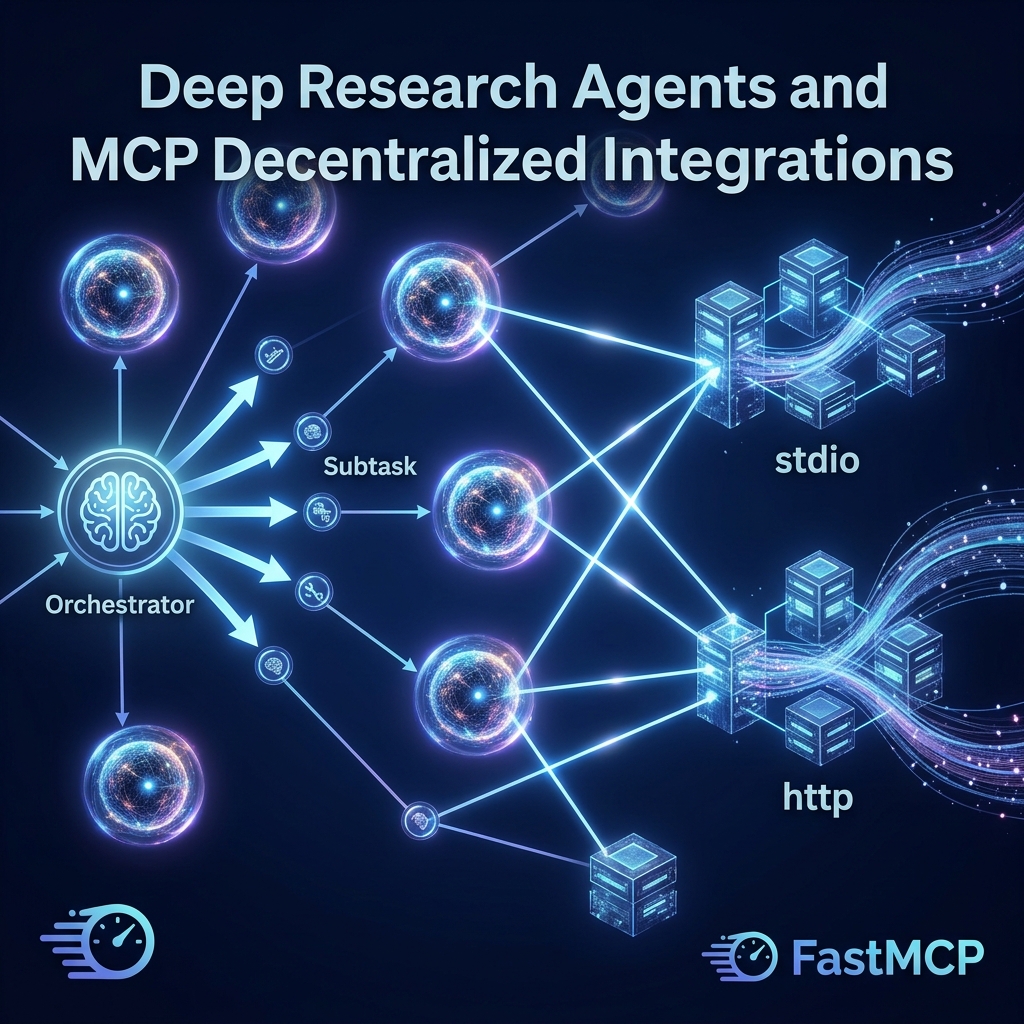
TL;DR: Complex objectives require decomposition. This post explains how deep research agents slice goals into sub-tasks and how the Model Context Protocol (MCP) enables dynamic, decentralized tool-discovery microservices.
The Shallow Loop Problem
The agents we built in Parts 1–3 follow a single reasoning loop: look at the question, pick a tool, run it, answer. This works well for tasks with a clear, single-step solution.
But consider a task like "Research the top three open-source vector databases, compare their licensing models, and produce a recommendation for our compliance team". This requires:
- Searching for vector databases independently
- Looking up each one's licence separately
- Cross-referencing with compliance constraints
- Synthesising a structured recommendation
A single-loop agent will muddle all of these into one chain of tool calls, losing track of partial results and producing shallow, disorganised output.
Deep Research Agents solve this by explicitly decomposing the goal into isolated sub-tasks, each handled by a dedicated node with its own tools and reasoning context.
+---> Task 1: Research & data gathering
                    |           (web search tools)
[ Complex Goal ] ---+
                    +---> Task 2: Analysis & comparison
                    |           (structured reasoning)
                    |
                    +---> Task 3: Synthesis & output
                                (document generation)
Each task runs with full focus on its specific sub-problem. The results are assembled into a final output by a synthesis step.
The Tool Integration Problem: Why MCP?
Now consider this scenario. Your agent needs to call your company's internal CRM, a third-party weather API, a local file reader, and a Slack notifier — all as tools.
The traditional approach is to write a custom LangChain @tool wrapper for each one and hard-code them into your agent at startup. This creates three problems:
- Tight coupling — Adding a new tool requires redeploying your agent application
- No separation of concerns — Your tool logic lives inside your agent codebase
- No reuse — A tool built for Agent A cannot be easily used by Agent B without copying code
The Model Context Protocol (MCP) solves this. MCP is an open standard (backed by Anthropic, adopted broadly) that defines a standard wire format for exposing tools as independent microservices. Your agent discovers available tools at runtime — it does not need to know about them at compile time.
[ Agent Orchestrator ] <------ MCP Protocol ------> [ MCP Tool Server ]
         |                                                    |
         +---> Discovers: "what tools do you have?"          +---> File reader tool
         +---> Calls:     "run convert_celsius(35)"          +---> DB query tool
         +---> Uses:      result in next reasoning step      +---> API caller tool
Setting Up
source langchain-env/bin/activate

pip install fastmcp langchain-mcp-adapters langchain-google-genai langgraph
You will also need your .env with GOOGLE_API_KEY.
Building an MCP Server (stdio transport)
An MCP server is a standalone Python script. The stdio transport means the server runs as a subprocess — the orchestrator communicates with it over stdin/stdout pipes. This is ideal for local tools.
# Save as: mcp_server_data.py
from fastmcp import FastMCP

server = FastMCP("DataUtilityServer")

@server.tool()
def convert_celsius_to_fahrenheit(celsius: float) -> float:
    """Converts a temperature from Celsius to Fahrenheit."""
    return (celsius * 9 / 5) + 32

@server.tool()
def convert_mb_to_gb(megabytes: float) -> float:
    """Converts a file size from megabytes to gigabytes."""
    return round(megabytes / 1024, 4)

@server.tool()
def calculate_percentage(value: float, total: float) -> str:
    """Calculates what percentage 'value' is of 'total'."""
    if total == 0:
        return "Error: total cannot be zero."
    return f"{(value / total) * 100:.2f}%"

if __name__ == "__main__":
    server.run(transport="stdio")
Do not run this file directly to test it — it blocks waiting for stdin input from the MCP protocol. The orchestrator client (below) launches it as a subprocess automatically. You only need to ensure the file exists and is importable.
Building a Second MCP Server (HTTP transport)
The HTTP transport runs the server as a web service. This is the right choice for tools that need to be shared across multiple agents or deployed independently.
# Save as: mcp_server_network.py
from fastmcp import FastMCP

server = FastMCP("NetworkUtilityServer")

@server.tool()
def check_endpoint_reachability(endpoint: str) -> str:
    """
    Simulates a connectivity check for a given endpoint URL.
    Returns latency and packet loss metrics.
    """
    endpoint_lower = endpoint.lower().strip()
    if "production" in endpoint_lower:
        return "Status: REACHABLE | Latency: 14ms | Packet loss: 0.0%"
    elif "staging" in endpoint_lower:
        return "Status: REACHABLE | Latency: 45ms | Packet loss: 0.2%"
    else:
        return "Status: UNKNOWN | Endpoint not in monitoring registry."

@server.tool()
def get_region_latency_profile(region: str) -> str:
    """Returns the average network latency for a given cloud region."""
    profiles = {
        "us-east-1": "12ms average, 99.9% uptime SLA",
        "eu-west-1":  "28ms average, 99.9% uptime SLA",
        "ap-south-1": "42ms average, 99.5% uptime SLA",
    }
    return profiles.get(region.lower(), f"No latency data for region: {region}")

if __name__ == "__main__":
    # This starts a web server on port 8765
    # Keep this running in a separate terminal while the orchestrator runs
    server.run(transport="http", host="127.0.0.1", port=8765)
Start the HTTP server in a separate terminal:
# Terminal 2
source langchain-env/bin/activate
python mcp_server_network.py
You should see output like Uvicorn running on http://127.0.0.1:8765.
Building the Orchestrator Client
Now write the agent that connects to both servers, discovers their tools automatically, and uses them together.
# Save as: 10_mcp_orchestrator.py
import asyncio
import os
from dotenv import load_dotenv
from langchain_mcp_adapters.client import MultiServerMCPClient
from langgraph.prebuilt import create_react_agent
from langchain_google_genai import ChatGoogleGenerativeAI

load_dotenv()

async def run():
    async with MultiServerMCPClient() as client:

        # Connect to the stdio server — the client launches mcp_server_data.py
        # as a subprocess automatically
        await client.connect_server(
            "data_utils",
            command="python",
            args=["mcp_server_data.py"],
            transport="stdio"
        )

        # Connect to the already-running HTTP server
        await client.connect_server(
            "network_utils",
            url="http://127.0.0.1:8765/mcp",
            transport="http"
        )

        # get_tools() discovers all tools from all connected servers
        # The agent sees them as a flat list — it has no idea which server each comes from
        tools = await client.get_tools()
        print(f"Discovered {len(tools)} tools:")
        for t in tools:
            print(f"  - {t.name}: {t.description}")

        llm = ChatGoogleGenerativeAI(model="gemini-3.5-flash", temperature=0)
        agent = create_react_agent(llm, tools)

        # The agent will automatically pick the right tool for each part of this query
        result = await agent.ainvoke({
            "messages": [{
                "role": "user",
                "content": "Convert 37 Celsius to Fahrenheit, then check if production.api.company.com is reachable, and tell me the latency profile for us-east-1."
            }]
        })

        print("\n--- Final Answer ---")
        print(result["messages"][-1].content)

if __name__ == "__main__":
    asyncio.run(run())
Run the orchestrator (make sure the HTTP server is still running in Terminal 2):
# Terminal 1
python 10_mcp_orchestrator.py
The agent will call all three tools — one from the stdio server and two from the HTTP server — and compose a single coherent answer.
Why
async/asyncio? MCP uses async I/O because connecting to multiple servers simultaneously is I/O-bound work — waiting for subprocess pipes and HTTP responses.asynciolets the client initiate all connections and await their results concurrently, instead of waiting for each server one at a time. This is standard Python async programming; if you are new to it, think ofawaitas "pause here until the server responds, but let other things run in the meantime".
What happens when I add a new tool to an MCP server? Nothing in the orchestrator code changes. The next time the orchestrator calls
get_tools(), it will automatically discover the new tool. This is the key advantage of MCP over hard-coded@toolwrappers — tool discovery is dynamic, not static.
Tip — use
stdiofor local/trusted tools,httpfor shared/remote tools:stdioservers run in the same trust boundary as the orchestrator (same machine, same user).httpservers can run anywhere — a different machine, a container, a cloud function. Usehttpwhen you want different teams to independently develop and deploy tools that multiple agents can share.
What You Built
- Two independent MCP tool servers — one via stdio subprocess, one via HTTP
- A unified orchestrator that connects to both, discovers all tools automatically, and routes queries across them
- A clear picture of why MCP's dynamic discovery model is more maintainable than hard-coded tool wrappers
In the final part of this series, we take everything you have built and harden it for production — adding safety guardrails, LLM failover gateways, and automated quality evaluation with LangSmith.
FAQs
Q: What is the Model Context Protocol (MCP)?
A: MCP is an open-source standard protocol that permits LLM applications to dynamically query and execute tools exposed by external, independent microservices over stdio or HTTP transports, decoupling tool implementation from the agent codebase.
Q: What are the two primary transport mechanisms in MCP?
A: The stdio transport executes the tool server as a subprocess on the local machine, piping commands via stdin and stdout. The HTTP transport exposes tools over a web API server, enabling remote tool sharing across multiple host agents.
Q: Why do deep research agents separate planning from tool execution?
A: Single-loop agents often lose context when executing long chains of consecutive tool calls. Separating planning from execution allows an agent to decompose a complex objective into scoped, parallel tasks, ensuring isolated reasoning for each sub-problem.