Enterprise Knowledge Retrieval: Traditional RAG vs. Vectorless RAG — Part 3
Compare traditional vector RAG with vectorless RAG in LangChain. Learn ChromaDB embeddings, text chunking strategies, and structural index navigation — with full Python code for both approaches and when to choose each.
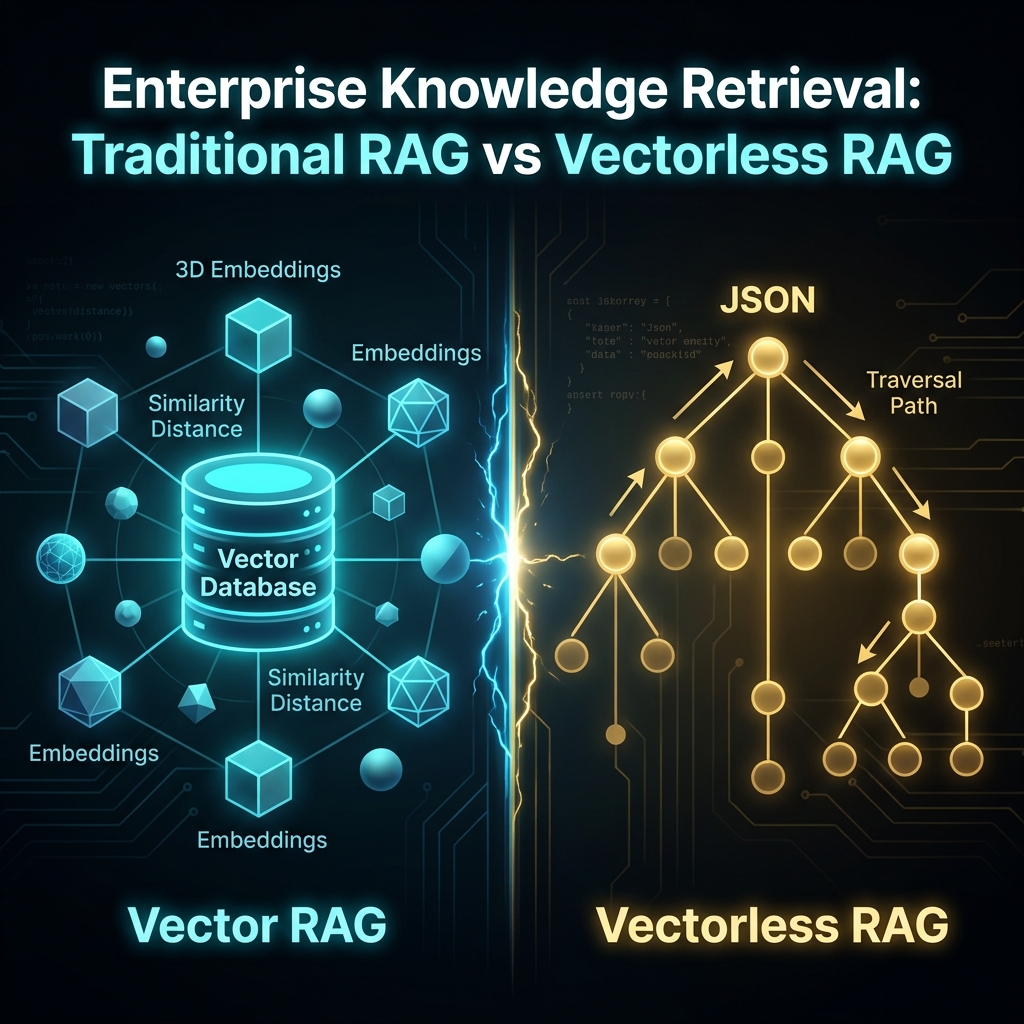
TL;DR: Giving agents access to company knowledge requires RAG. This post compares traditional Vector RAG (embedding chunks in databases) with Vectorless RAG (LLM-driven structural index navigation) and builds runnable implementations for both.
Why Does Your Agent Need RAG?
The agents we built in Parts 1 and 2 can call tools and reason through multi-step workflows. But they are limited to knowledge that was baked into the model at training time.
Ask your agent about your company's internal API documentation, a specific compliance policy, or last quarter's financial report — and it will either hallucinate or admit it does not know.
RAG (Retrieval-Augmented Generation) solves this. Instead of re-training the model (which costs millions of dollars and months of time), RAG retrieves the relevant piece of text from your documents at query time and injects it directly into the prompt context. The model then answers based on that retrieved text, not just its training data.
Your Document ---> [Parse] ---> [Chunk] ---> [Embed] ---> Vector DB
                                                              |
User Query  ------------------------------------------> [Search]
                                                              |
                                              Retrieved Chunks + Query
                                                              |
                                                       [LLM answers]
Approach 1: Traditional Vector RAG
This is the most widely used RAG pattern. Here is what happens at each stage:
- Parse — Load documents from PDF, Word, HTML, etc.
- Chunk — Split documents into smaller overlapping text segments
- Embed — Convert each chunk to a numeric vector using an embedding model
- Store — Save vectors in a database that supports similarity search
- Query — At runtime, embed the user's question and find the closest matching chunks
- Generate — Pass the retrieved chunks as context to the LLM
Setting Up
source langchain-env/bin/activate

pip install langchain-community sentence-transformers chromadb pymupdf
Why
sentence-transformersand not OpenAI embeddings? OpenAI's embedding API is excellent but costs money per token and sends your documents to an external server.sentence-transformersruns entirely locally, costs nothing, and keeps your data private. For most use cases,all-MiniLM-L6-v2is fast and accurate enough. Switch to a hosted embedding API only when you need maximum accuracy or cannot install local models.
Building the Ingestion Pipeline
# create a file: 07_rag_ingest.py
from langchain_text_splitters import RecursiveCharacterTextSplitter
from sentence_transformers import SentenceTransformer
import chromadb
import os

# -------------------------------------------------------
# Component 1: Chunking
# -------------------------------------------------------
# Why RecursiveCharacterTextSplitter?
# It tries to split on natural boundaries first (\n\n, then \n, then spaces)
# before falling back to hard character limits. This preserves paragraph
# structure better than a fixed-size splitter.
splitter = RecursiveCharacterTextSplitter(
    chunk_size=400,     # target chunk size in characters
    chunk_overlap=40,   # overlap between chunks to preserve context at boundaries
    separators=["\n\n", "\n", " ", ""]
)

# For this example, we simulate a document with raw text
# In production, replace this with PyMuPDFLoader for PDFs
sample_document_text = """
Security Policy — Password Requirements

Section 1: Password Complexity
All user passwords must be a minimum of 12 characters in length.
Passwords must contain at least one uppercase letter, one lowercase letter,
one numeric digit, and one special character from the set: !@#$%^&*

Section 2: Password Rotation
All passwords must be rotated every 90 days.
Users will receive a reminder 7 days before expiry.
Three previous passwords cannot be reused.

Section 3: Multi-Factor Authentication
MFA is mandatory for all accounts with admin privileges.
Supported MFA methods: TOTP apps, hardware security keys.
SMS-based MFA is deprecated and will be removed in Q3 2026.
"""

chunks = splitter.create_documents([sample_document_text])
print(f"Document split into {len(chunks)} chunks")
for i, chunk in enumerate(chunks):
    print(f"\n--- Chunk {i+1} ---\n{chunk.page_content}")
Run it:
python 07_rag_ingest.pyYou will see how the splitter breaks the document into overlapping segments, trying to keep logical sections together.
Why is chunk overlap important? Without overlap, a sentence that spans the boundary between two chunks gets split in half. The first chunk loses the end of the sentence; the second loses the beginning. A small overlap (10% of chunk size is a good default) ensures that boundary sentences are fully present in at least one chunk.
Building the Vector Store and Query Engine
# create a file: 08_rag_query.py
from langchain_text_splitters import RecursiveCharacterTextSplitter
from sentence_transformers import SentenceTransformer
import chromadb
from dotenv import load_dotenv
from langchain_google_genai import ChatGoogleGenerativeAI

load_dotenv()

# --- Setup (same as before) ---
sample_document_text = """
Security Policy — Password Requirements

Section 1: Password Complexity
All user passwords must be a minimum of 12 characters in length.
Passwords must contain at least one uppercase letter, one lowercase letter,
one numeric digit, and one special character from the set: !@#$%^&*

Section 2: Password Rotation
All passwords must be rotated every 90 days.
Users will receive a reminder 7 days before expiry.
Three previous passwords cannot be reused.

Section 3: Multi-Factor Authentication
MFA is mandatory for all accounts with admin privileges.
Supported MFA methods: TOTP apps, hardware security keys.
SMS-based MFA is deprecated and will be removed in Q3 2026.
"""

splitter = RecursiveCharacterTextSplitter(chunk_size=400, chunk_overlap=40)
chunks = splitter.create_documents([sample_document_text])

# --- Embed and Store ---
encoder = SentenceTransformer("all-MiniLM-L6-v2")
client = chromadb.Client()
collection = client.get_or_create_collection(
    name="security_policy",
    metadata={"hnsw:space": "cosine"}
    # cosine distance: measures angle between vectors, not magnitude
    # better than euclidean for text similarity
)

texts = [chunk.page_content for chunk in chunks]
embeddings = encoder.encode(texts).tolist()
ids = [f"chunk_{i}" for i in range(len(texts))]

collection.add(documents=texts, embeddings=embeddings, ids=ids)
print(f"Indexed {len(texts)} chunks into ChromaDB")

# --- Query ---
def ask(question: str):
    # Embed the question with the same model used for indexing
    query_vec = encoder.encode([question]).tolist()
    results = collection.query(query_embeddings=query_vec, n_results=2)
    retrieved_chunks = results["documents"][0]

    # Build the RAG prompt: retrieved context + the user's question
    context = "\n\n".join(retrieved_chunks)
    prompt = f"""Answer the question using ONLY the information provided below.
If the answer is not in the context, say "I don't have that information."

Context:
{context}

Question: {question}
"""
    llm = ChatGoogleGenerativeAI(model="gemini-3.5-flash", temperature=0)
    response = llm.invoke(prompt)
    return response.content

# Test it
print("\n" + ask("What are the password complexity requirements?"))
print("\n" + ask("How long before my password expires will I be reminded?"))
print("\n" + ask("What is the company's vacation policy?"))  # should say "I don't have that"
Run it:
python 08_rag_query.pyThe third question should return "I don't have that information" — because the retrieved chunks contain nothing about vacation policy, and the prompt instructs the model not to guess.
Why does the system prompt say "use ONLY the information provided"? Without this constraint, the model will mix retrieved facts with its training knowledge — making it impossible to know if the answer comes from your documents or from hallucination. Grounding the model to the context is the single most important safety practice in RAG systems.
The Limitations of Traditional Vector RAG
Traditional RAG works well for simple factual lookups, but struggles with three common scenarios:
Context Fragmentation — If a question requires synthesising information from multiple sections of a document, the top-2 retrieved chunks may not contain all the relevant information. You can increase n_results, but that adds noise and inflates token costs.
Embedding Model Sensitivity — The embedding model was trained on general web text. Domain-specific jargon (medical codes, legal clauses, proprietary product names) may embed poorly, causing relevant chunks to rank lower than they should.
Re-indexing Cost — If you update your document or switch to a better embedding model, you must re-embed and re-index every chunk from scratch. For large document libraries, this can take hours and cost significant API fees.
Approach 2: Vectorless RAG
Vectorless RAG takes a fundamentally different approach. Instead of slicing the document into chunks and searching by similarity, it asks an LLM to analyse the document's structure upfront and build a JSON index that maps each logical section to its content.
Document
  |
  +---> [LLM reads structure] ---> JSON Index Tree
                                         |
User Query ---------------------------> [LLM navigates tree]
                                         |
                               [Retrieve exact section]
                                         |
                                   [LLM answers]
Here is a minimal working implementation:
# create a file: 09_vectorless_rag.py
import json
from dotenv import load_dotenv
from langchain_google_genai import ChatGoogleGenerativeAI

load_dotenv()

llm = ChatGoogleGenerativeAI(model="gemini-3.5-flash", temperature=0)

document = """
Security Policy — Password Requirements

Section 1: Password Complexity
All user passwords must be a minimum of 12 characters in length.
Passwords must contain at least one uppercase letter, one lowercase letter,
one numeric digit, and one special character from the set: !@#$%^&*

Section 2: Password Rotation
All passwords must be rotated every 90 days.
Users will receive a reminder 7 days before expiry.
Three previous passwords cannot be reused.

Section 3: Multi-Factor Authentication
MFA is mandatory for all accounts with admin privileges.
Supported MFA methods: TOTP apps, hardware security keys.
SMS-based MFA is deprecated and will be removed in Q3 2026.
"""

# Step 1: Build the index — ask the LLM to parse the document structure
index_prompt = f"""Read this document and create a JSON index mapping each section title
to its full content. Return valid JSON only, no explanation.

Format: {{"sections": [{{"title": "...", "content": "...", "keywords": [...]}}]}}

Document:
{document}"""

raw_index = llm.invoke(index_prompt).content
# Strip markdown code fences if the model wraps the JSON
raw_index = raw_index.strip().removeprefix("```json").removeprefix("```").removesuffix("```").strip()
index = json.loads(raw_index)

print("Built index with sections:")
for section in index["sections"]:
    print(f"  - {section['title']}")

# Step 2: Answer questions by navigating the index
def ask_vectorless(question: str):
    index_summary = "\n".join(
        f"Section: {s['title']} | Keywords: {', '.join(s.get('keywords', []))}"
        for s in index["sections"]
    )

    # First call: identify which section to retrieve
    routing_prompt = f"""Given this document index:
{index_summary}

Which section title is most relevant to answer: "{question}"?
Reply with ONLY the exact section title, nothing else."""

    target_section_title = llm.invoke(routing_prompt).content.strip()

    # Retrieve the matching section content
    section_content = next(
        (s["content"] for s in index["sections"] if s["title"].lower() == target_section_title.lower()),
        None
    )

    if not section_content:
        return "Could not locate a relevant section in the index."

    # Second call: answer from the retrieved section
    answer_prompt = f"""Use only the following content to answer the question.

Content:
{section_content}

Question: {question}"""

    return llm.invoke(answer_prompt).content

print("\n" + ask_vectorless("What are the password requirements?"))
print("\n" + ask_vectorless("When will I get notified before my password expires?"))
Run it:
python 09_vectorless_rag.pyWhy does Vectorless RAG use two LLM calls? The first call routes the question to the right section by understanding the document's logical structure. The second call answers from that specific section. This two-step approach is more accurate for structured documents because the routing step uses semantic reasoning rather than vector distance, but it costs roughly 2x the token usage of a single RAG call. This is the core trade-off.
Choosing the Right Approach
| Traditional Vector RAG | Vectorless RAG | |
|---|---|---|
| Best for | Large corpora, many documents | Dense structured documents |
| Search method | Vector similarity | LLM structural reasoning |
| Update cost | Full re-index on doc change | Edit JSON index directly |
| Cross-section queries | Weak — chunks may miss context | Strong — navigates full hierarchy |
| Token cost per query | Low (1 LLM call) | Higher (2 LLM calls) |
| Setup complexity | Moderate — needs vector DB | Low — just JSON + LLM |
Choose Traditional Vector RAG when you have thousands of documents, short factual queries, and need low per-query cost.
Choose Vectorless RAG when you have one or a few dense structured documents (legal contracts, technical specs, compliance manuals) where understanding the document's hierarchy matters more than keyword similarity.
In Part 4, we take agents to the next level — building deep research agents that decompose complex goals into sub-tasks, and integrating them with external tool ecosystems using the Model Context Protocol (MCP).
FAQs
Q: What is the main difference between Vector RAG and Vectorless RAG?
A: Vector RAG chunks documents, converts them into mathematical vectors using embedding models, and searches by distance metrics (e.g. cosine similarity). Vectorless RAG asks an LLM to index the structural hierarchy of a document into a JSON schema upfront, navigating sections using semantic routing prompts.
Q: Why is chunk overlap necessary in traditional RAG document parsing?
A: Chunk overlap ensures that paragraphs or sentences that fall on the split boundary of a text splitter aren't severed in half. Keeping a small overlap (e.g. 10%) preserves local context for semantic retrieval.
Q: In what scenario should I choose Vectorless RAG over Vector RAG?
A: Choose Vectorless RAG for dense, structured documents (like contracts or user manuals) where hierarchy and relationship context between sections are highly important. Choose Vector RAG for large-scale, unstructured libraries with thousands of documents.