Installation, Virtual Server , Location block basics | Nginx Tutorial #1
Installation, Virtual Server , Location block basics | Nginx Tutorial #1 Few months back , I published an article on Introduction to Nginx a...

Installation, Virtual Server , Location block basics | Nginx Tutorial #1
Few months back , I published an article on Introduction to Nginx and its advantages. I received lot of support and encouragement from friends, colleagues which motivated me to come up with a series on Nginx.
Do **Subscribe **to my Youtube channel “Tech With Durgadas” to get updates on videos. I have created a playlist called Nginx where I plan to upload tutorials on Nginx features, best practices , Docker files etc.
So Let’s get started.
Here is the video I published on Youtube. Do like and Share with friends/colleagues etc.

Since the setup is like a webserver, you can access the files directly on the location for e.g http://localhost/styles.css .
Interestingly, if you try accessing any other path for which the files are not present in the location that you are serving, you will receive an Nginx Not found page.
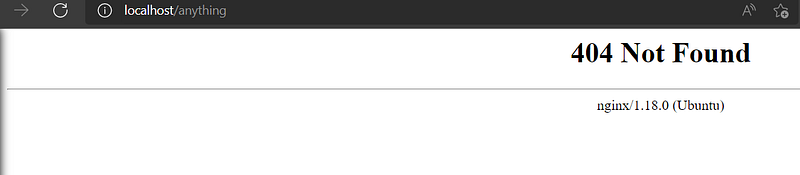
In order to handle or serve pages at location which doesn’t exist ,you will need to make use of location blocks.
Location blocks
location blocks defines which path needs to be evaluated and how it needs to be handled. Let’s just look at basic for now in this article.
Let’s say you want to return some message when someone hit /anything in the browser. We can define as follows. Add this block below the **server **context.
location /anything {
   return 200 "Hello Friends, how are you ?  PREFIX match"
}
Once added, reload the configuration and hit /anything in the browser. You should see the message that you have defined.
The above is known as Prefix Match so if you hit anything that starts with what you have defined, it will still work i.e /anythingXYZ will also get evaluated by above block. If you want to match is exactly then you can add = between location and path.
location = /anything {
   return 200 "Hello Friends, how are you ? EXACT match"
}
In addition, you can also define “Regex” paths using the ~ operator .
e.g
location ~ /anything[0-9] {
   return 200 "Hello Friends, how are you ? REGEX match"
}
Above example indicates that any number that follows /anything should be evaluated. If there are is a collision between Regex match and Prefix match based on the rules, REGEX match will take precedence. If you still need Prefix to take precedence, you can add ^~ to your prefix location block.
location ^~/anything {
   return 200 "Hello Friends, how are you ? EXACT match"
}
This is all I wanted to cover in this article. In upcoming articles, we will see more advanced configurations like Rewrites, Logging, Reverse Proxy and much more.
Clap, share, comment, give me feedback. I’d love to hear your thoughts! Happy Learning. Do follow to get updates on upcoming articles.